Create A/B test
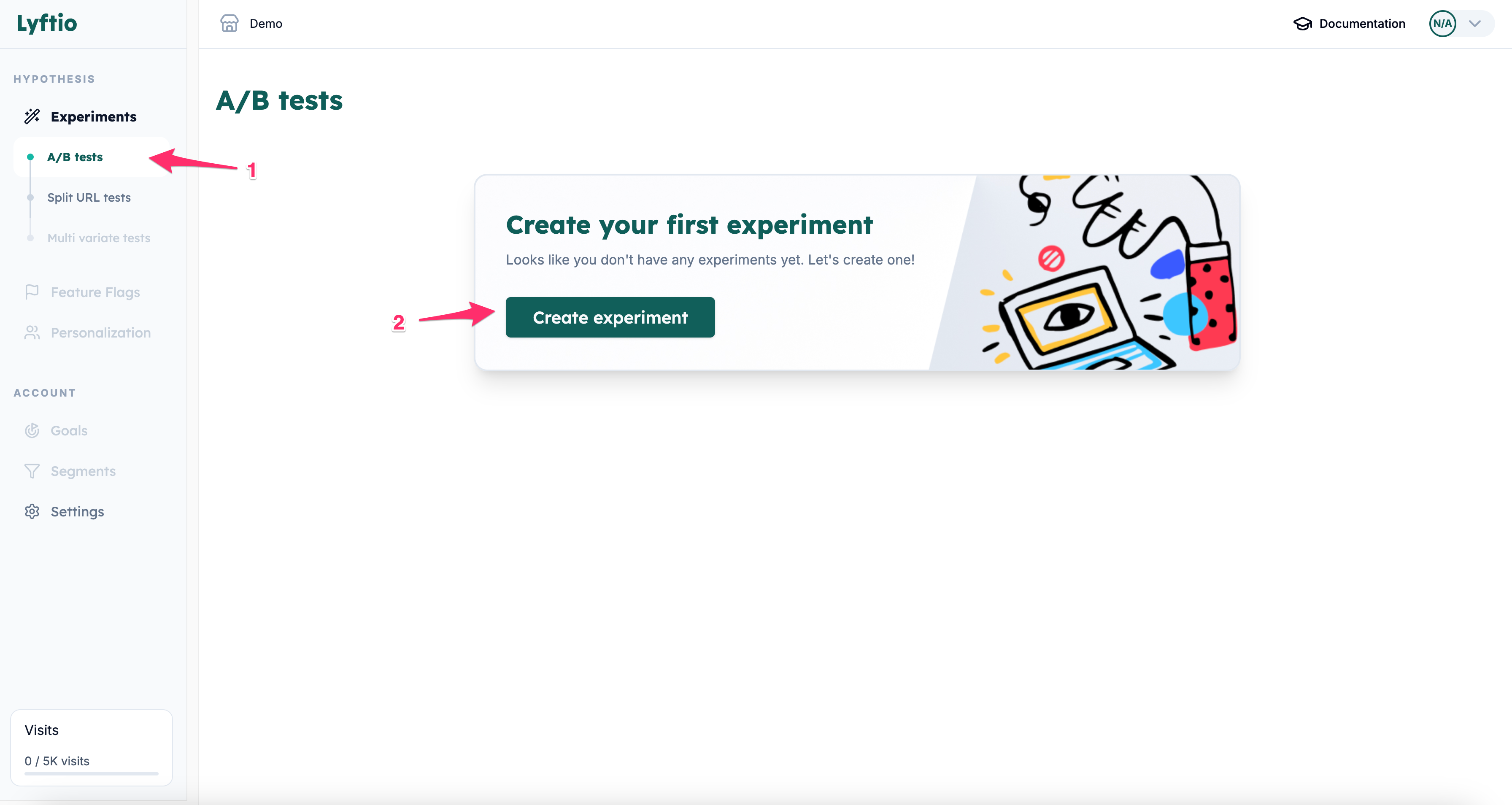
- Click on A/B test.
- Click on Create Experiment.
- Enter your settings for your A/B test.
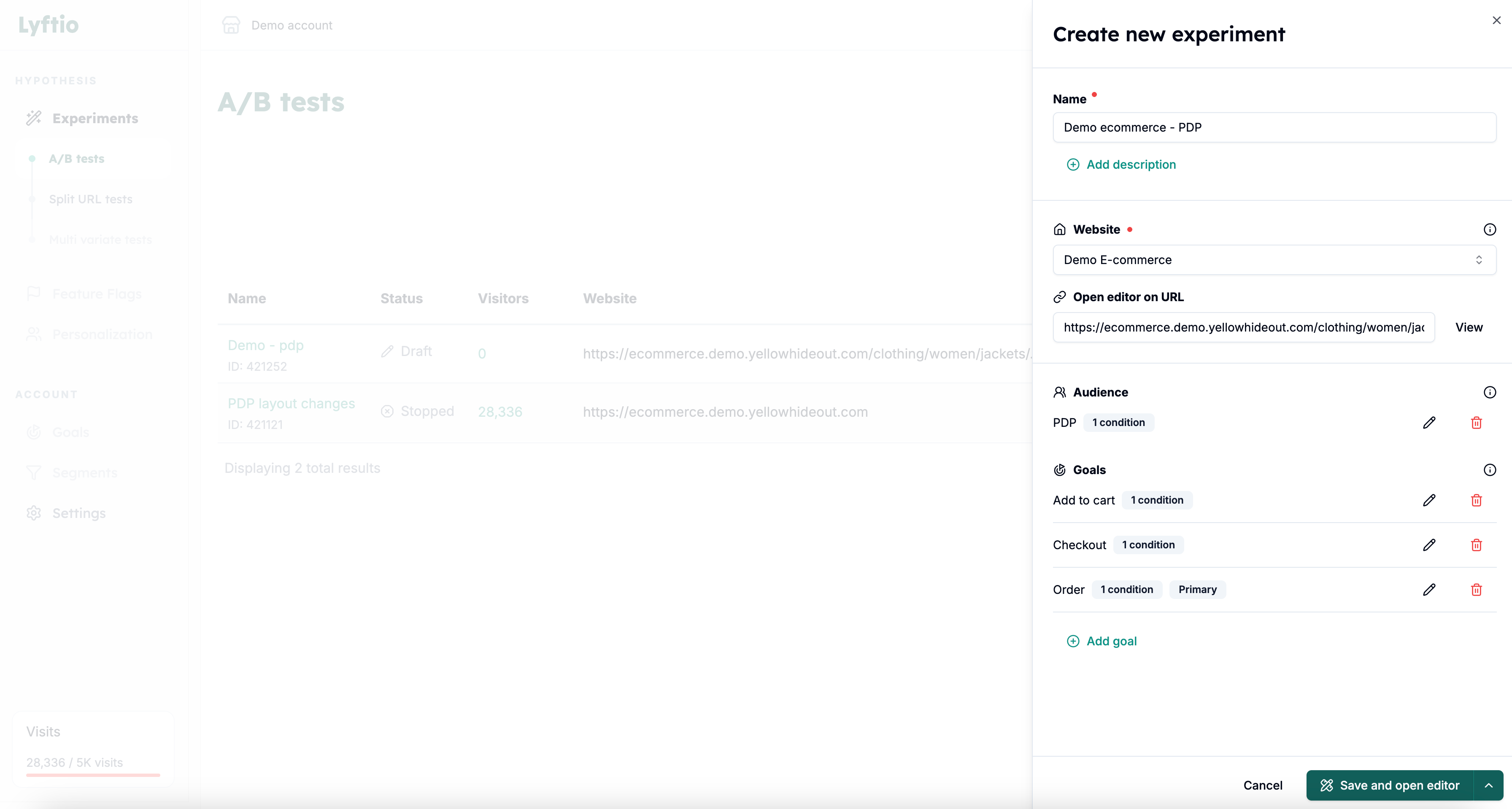
- Name your test.
- Add a description (optional).
- Select the project the test should be created for.
- Enter the URL you want to open the editor for. This will also determine where Preview opens.
- Target your visitors by setting up Audience conditions.
- Define your goals by adding the metrics and KPIs that will determine whether the test is successful or not.
- Click Save and open editor to start edit your experiment.