Selector mode
The importance of selectors
When creating A/B test variations through the visual editor, selectors play a critical role. Every change you make, such as editing text, hiding an element, moving a button, or inserting new content, is applied to the website by targeting specific elements on the page.
This targeting is done through CSS selectors.
Selectors act as the link between your variation and the actual HTML structure of the website. Without accurate selectors, the visual editor cannot reliably find the element that should be modified.
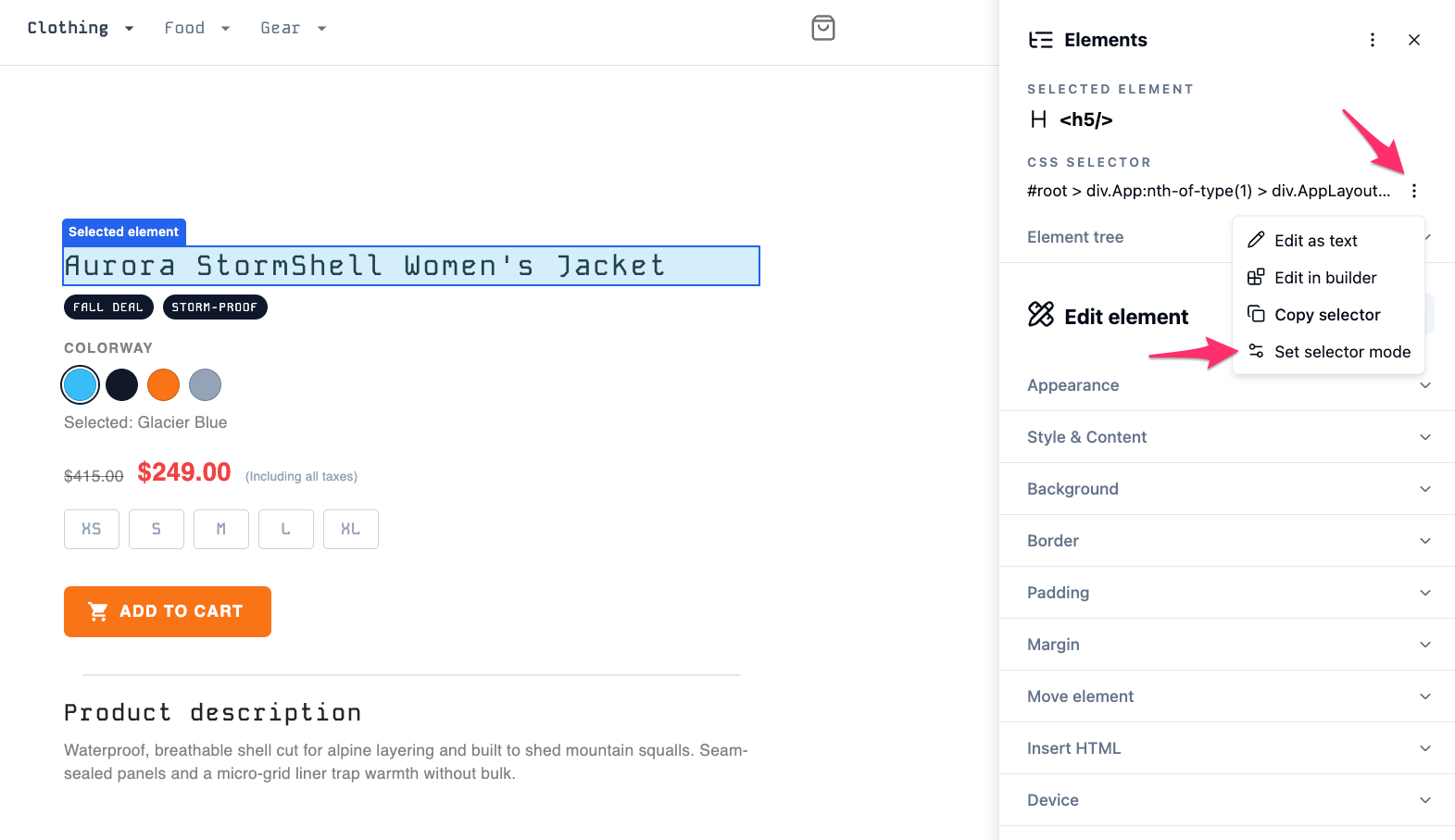 Change selector mode by clicking the three dots to the right of the selector and choose Set selector mode
What Selector Mode Does
The selector mode setting controls how the system generates selectors when identifying elements on a webpage. In other words, it determines what type of information will be used to create a unique selector for the selected element.
Since websites are built in many different ways, choosing the right selector mode is important for stability and accuracy.
When an element is selected, the selector generator can build a unique selector using one or more of the following:
- Tag name (e.g.,
button,div,input) - ID (e.g.,
#submit-button) - Order (e.g.,
div:nth-of-type(3)) - Class name(s) (e.g.,
.btn.primary) - Attributes (e.g.,
[data-test="login"])
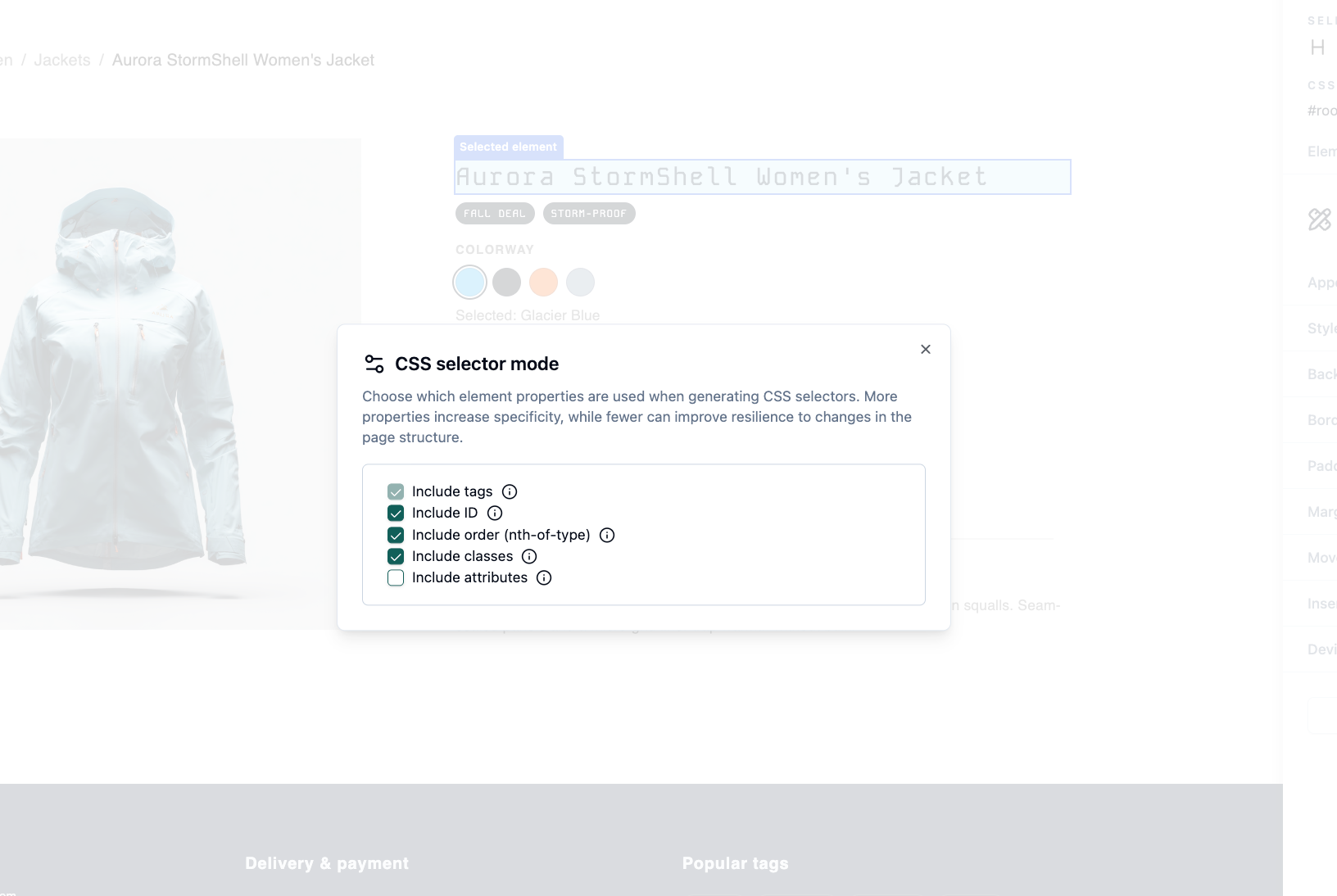 The chosen mode defines which of these methods are allowed when constructing the selector.
Available Selector Strategies
Tag-Based Selectors
Uses only the HTML tag type.
- Example:
button - Best for: simple pages where only one such element exists
- Limitation: often not unique enough on complex pages
ID-Based Selectors
Uses element IDs when available.
- Example:
#main-login - Best for: websites with consistent, unique IDs
- Recommended: IDs are usually the most stable option
Class-Based Selectors
Uses one or more CSS classes.
- Example:
.product-card.active - Best for: sites with meaningful, consistent class naming
- Warning: many modern frameworks generate dynamic class names that change frequently
Attribute-Based Selectors
Uses element attributes such as:
data-*namerolearia-label
Example:
[data-testid="checkout-button"]
- Best for: test-friendly or well-structured modern applications
- Recommended: very stable when supported
Hierarchy and nth-of-type Selectors
Uses the element’s position in the DOM tree.
- Example:
div.container > ul > li:nth-of-type(2) - Best for: cases where no stable IDs or attributes exist
- Limitation: fragile if page structure changes
Choosing the Right Mode
The best selector mode depends entirely on how the target website is built.
For example:
- If the site uses dynamic, auto-generated class names, you should avoid class-based selector generation, since those class values may change on every deployment.
- If IDs are present and unique, ID-based selectors are usually the strongest choice.
- If the site provides stable attributes like
data-testidordata-role, attribute-based selectors are often reliable.
The selector generator excludes common generic attributes, framework prefixes, short class names, class names with numbers, etc.
You can edit the generated selector either by using the Selector builder or plain text edit.