Element tree
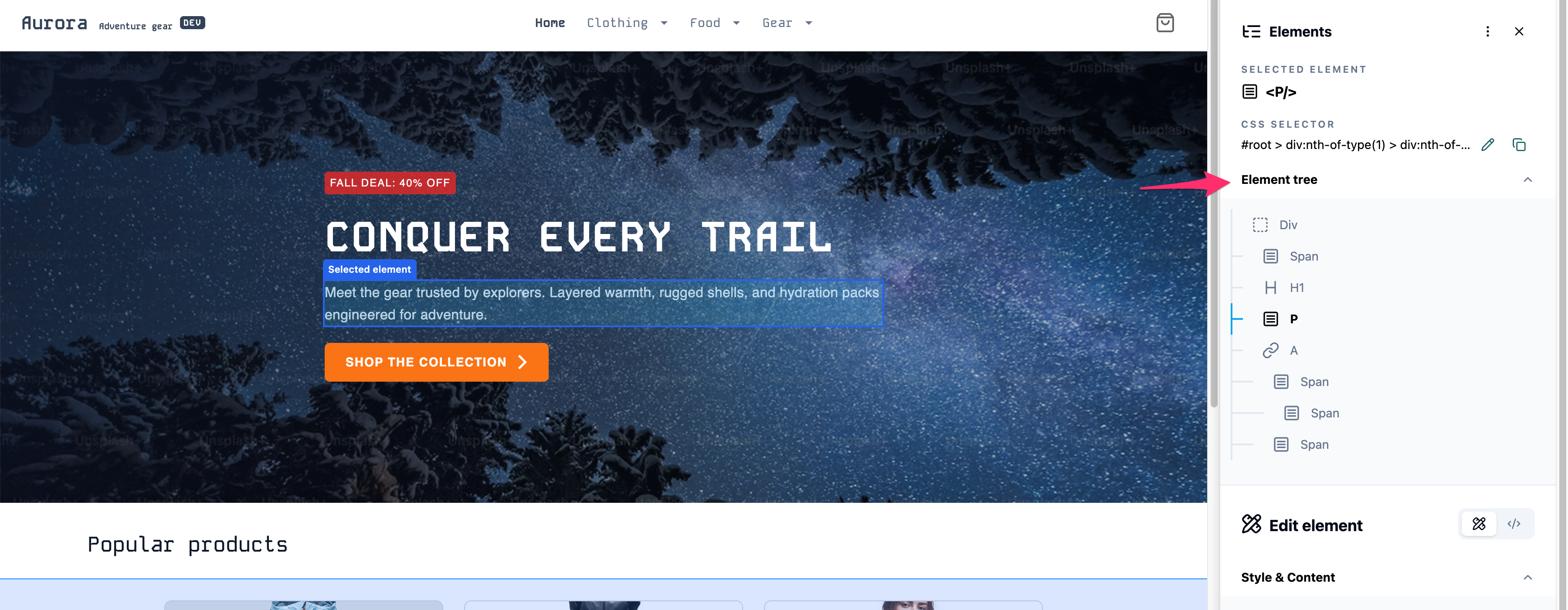 Open the Element Tree to traverse the DOM hierarchy, then select the specific element you want to modify by clicking on it.
Element attributes
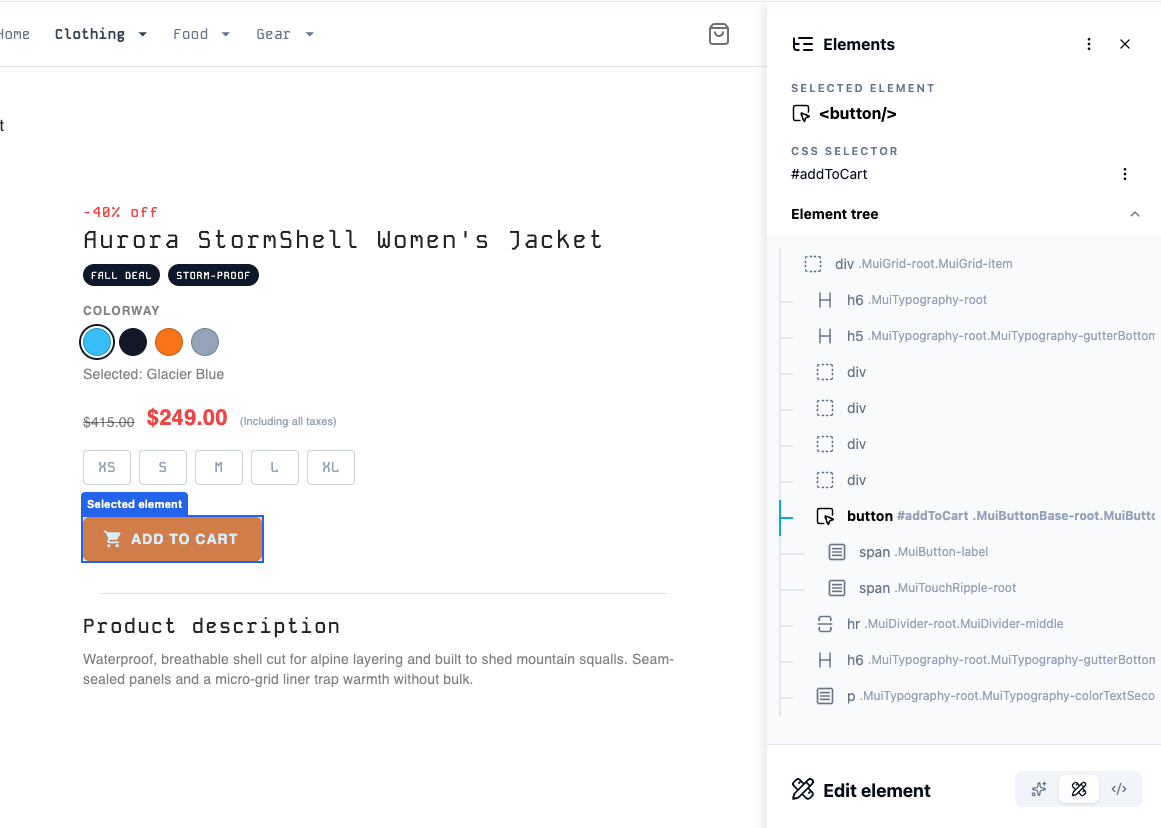 In Selector mode, you can control how the selector is generated when you click an element. Based on your configuration, details such as the element’s ID, classes, and attributes are displayed in the selector tree. This information also assists in navigating the DOM structure to accurately locate the desired element.
Selector tooltip
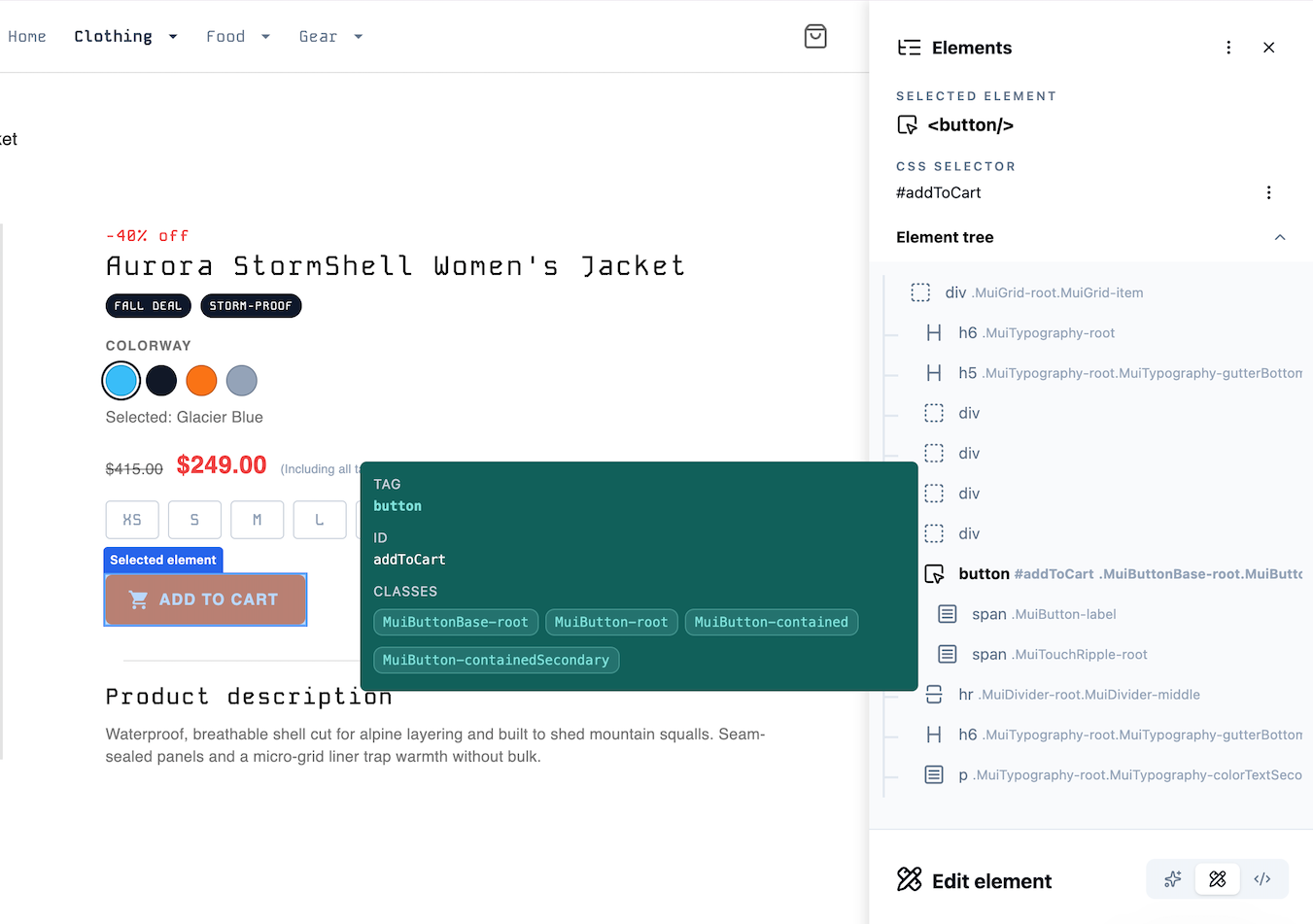 If the tooltip option is enabled, element details are displayed when you hover over an item in the element tree.