Selector builder
The Selector Builder is an interactive visual component used to create, inspect, and modify CSS selectors in a structured and user-friendly way. The Selector Builder breaks the selector into clear segments, allowing you to edit each part individually.
 The selector builder let you change the selector by clicking the part you want to edit.
Editing a part
 The action that can be perfomed depends of part type.
Editing a whole segment
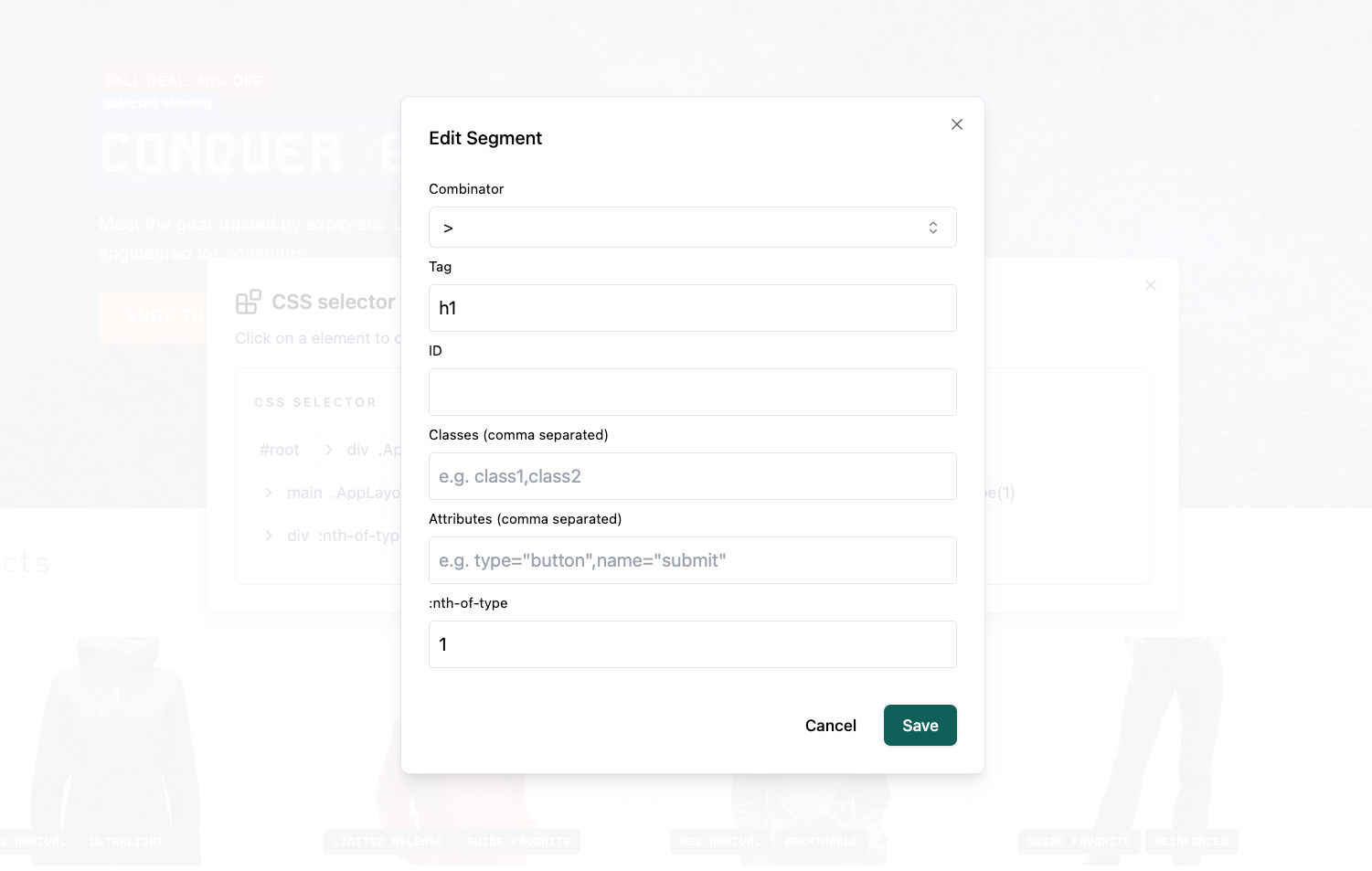
To edit an entire segment:
- Click any part of the segment (tag, ID, class, etc.)
- Select Edit (pencil icon)
- The Edit segment dialog opens
Inside the dialog you can modify:
- Combinator (
>,+,~) - Tag name
- ID
- Classes (comma-separated)
- Attributes (comma-separated)
- nth-of-type value
Click Save to apply changes or Cancel to discard.
Combinator Controls
Combinators define the relationship between selector segments:
| Symbol | Meaning |
|---|---|
> | Direct child |
+ | Adjacent sibling |
~ | General sibling |
| Space | Descendant (default) |
In the UI, combinators are represented with icons:
>Chevron arrow+Plus icon~Wave symbol
Adding New Segments
Segments can be inserted into the selector chain.
Add Sibling Segment After
Click a tag → Add sibling segment after
A default new segment is created:
- Tag:
div - Combinator:
> - Empty ID/classes/attributes
You can then click the new segment and edit it to change the tag, combinator, ID, attribute, class
The selector is generated based on the Selector mode you use.