Click
The Click condition lets you target visitors after they click an element. Click conditions are usually better suited to goals because a visitor may interact with the element long after the page loads. Using a click to qualify an Audience can therefore cause the experiment to appear after the page is already visible.
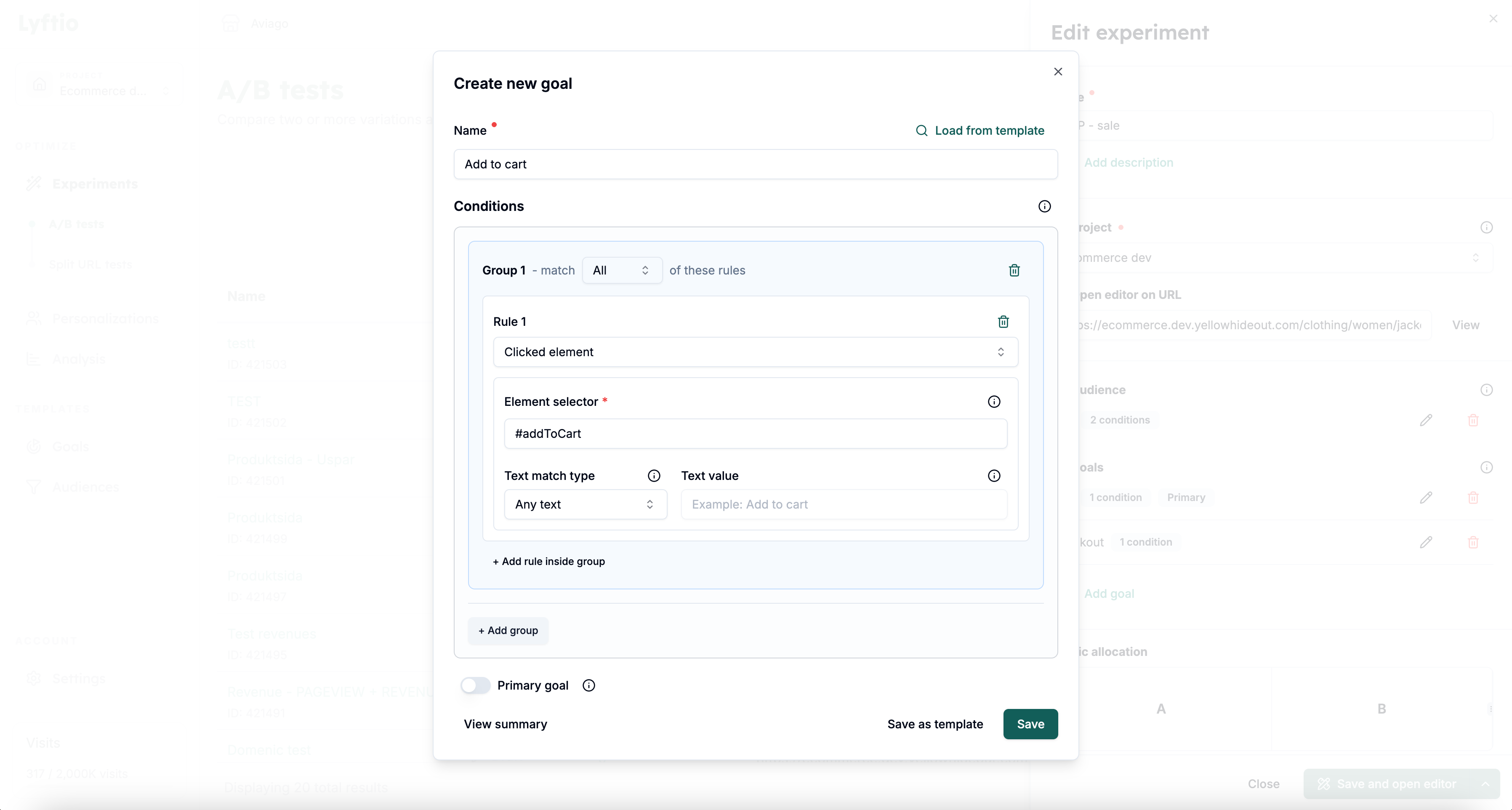 In the example above, we target visitors who click the element with the ID addToCart.
Match by element text
After entering a CSS selector, use Text match type to optionally restrict which matching elements count. This is useful when one selector matches several buttons or links and only those with specific text should qualify the visitor.
| Text match type | Behavior |
|---|---|
| Any text | Ignores the text and matches a click on any element found by the selector. This is the default. |
| No text | Matches only when the selected element has no text. Whitespace by itself counts as no text. |
| Exact match | Matches when the element's complete text equals the Text value. |
| Contains | Matches when the element's text includes the Text value. |
| Regex match | Matches when the element's text satisfies the regular expression in Text value. |
The text is checked when the visitor clicks the element. Text from child elements is included, whitespace at the beginning and end is ignored, and Exact match and Contains are case-sensitive.
For example, use the selector .product-card button with Contains and the text Add to cart to qualify visitors who click an add-to-cart button while ignoring other buttons matched by the same selector.
The Selector value is an ordinary CSS selector and supports standard CSS combinators. For Exact match, Contains, and Regex match, you must also enter a Text value. An invalid regular expression does not match any element.
Always test your Audience in Preview before activating the experiment to make sure that it runs only for the intended visitors.