Set an Audience
An Audience lets you set the conditions a visitor must match to be exposed to an experiment. It also determines where on your website the experiment takes place.
Creating an Audience
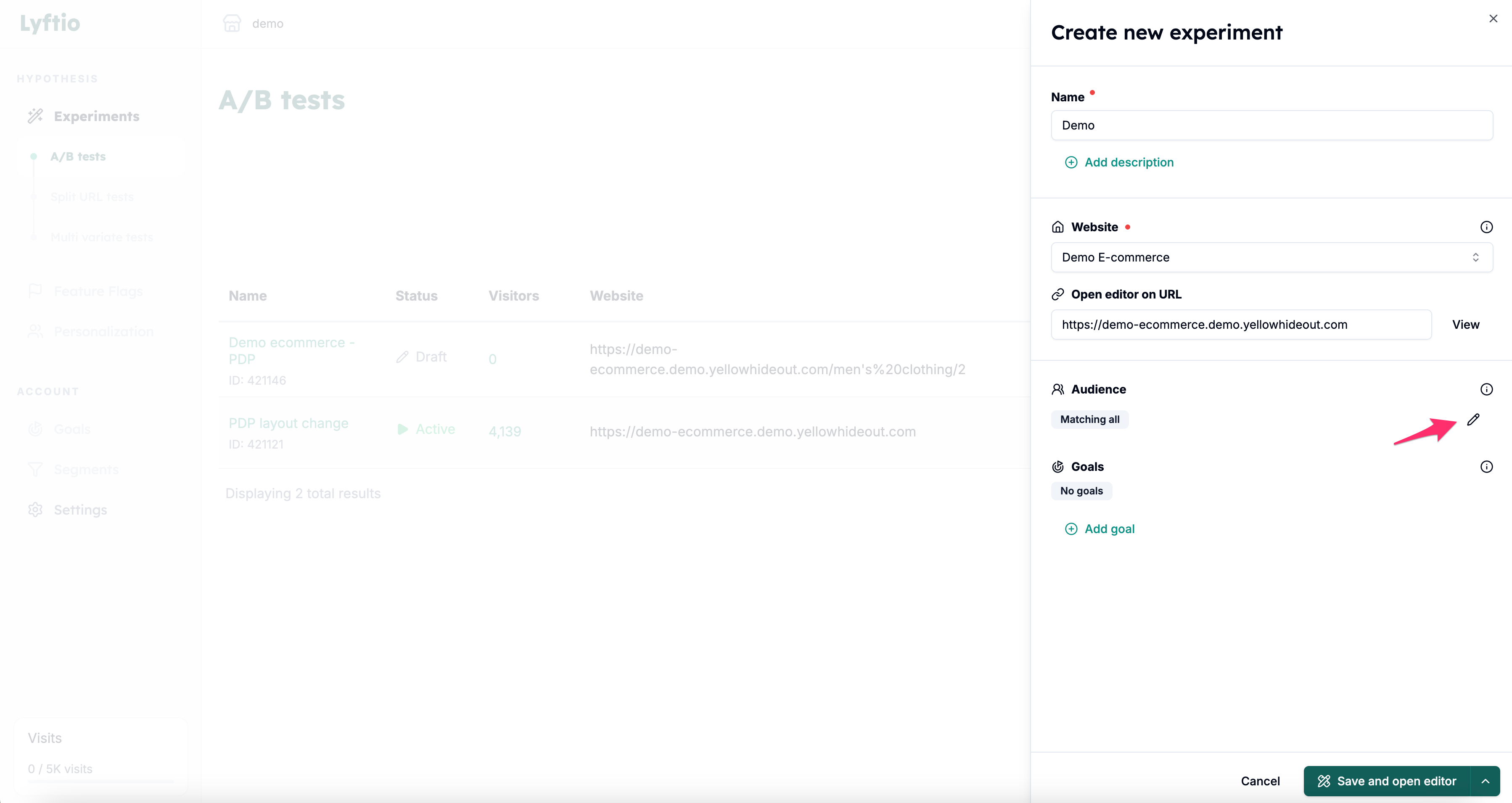 To create an Audience for your experiment, click the edit (pencil) icon.
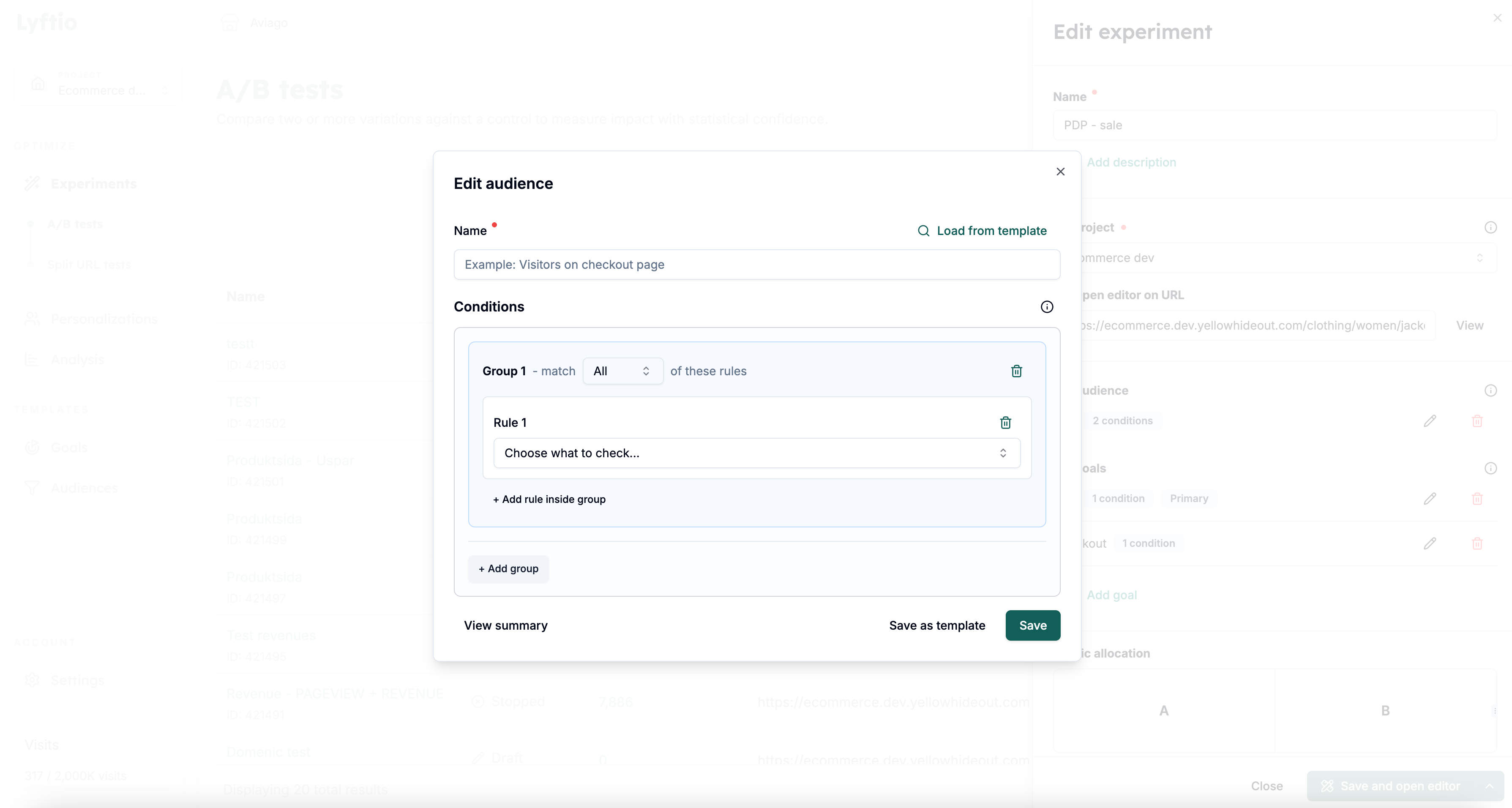 Give your Audience a name and add the conditions that visitors must match to be part of the experiment.
Organizing conditions into groups
Every condition belongs to a group. Use the controls in the condition builder to define how rules and groups relate to each other:
- Add a condition with Add rule inside group.
- Choose All if every rule in the group must match, or Any if one or more rules may match.
- Select Add group when you need a separate set of rules.
- When there is more than one group, choose Match All groups to require every group or Match Any group to require at least one group.
Select View summary to review the complete matching logic before saving the Audience.
Use groups when you need to combine AND and OR logic. For example, to target mobile visitors on either of two pages, put the two URL rules in an Any group, put the mobile-device rule in another group, and select Match All groups.
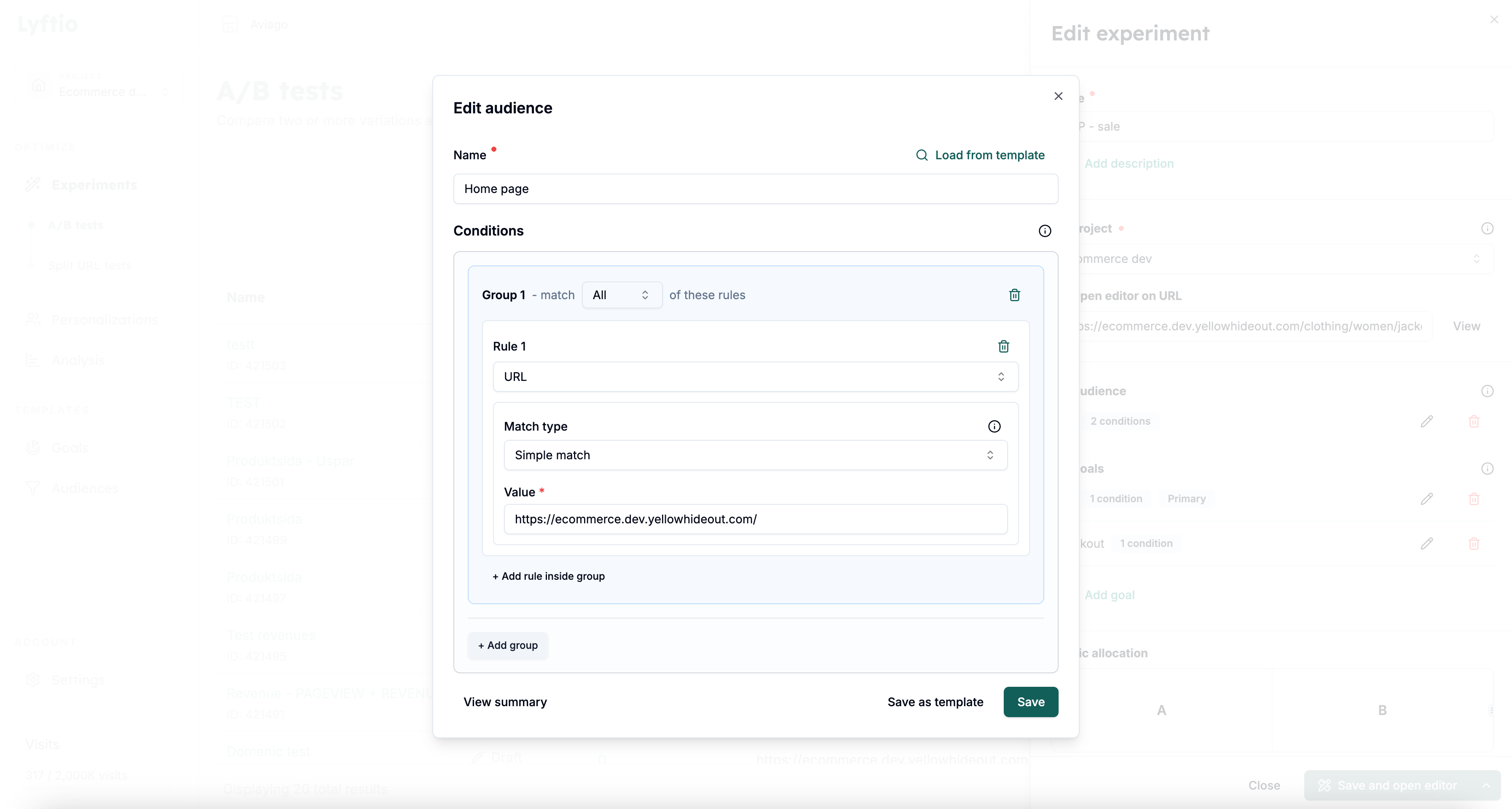 In the example above, we target all visitors who visit the start page by adding a URL condition with a Simple match for the index page.
Read more about the different conditions in the next chapter, or go straight to examples to see how they can be used to target different types of visitors and parts of your website.