Examples
Targeting a specific page
Using an URL condition with Simple match
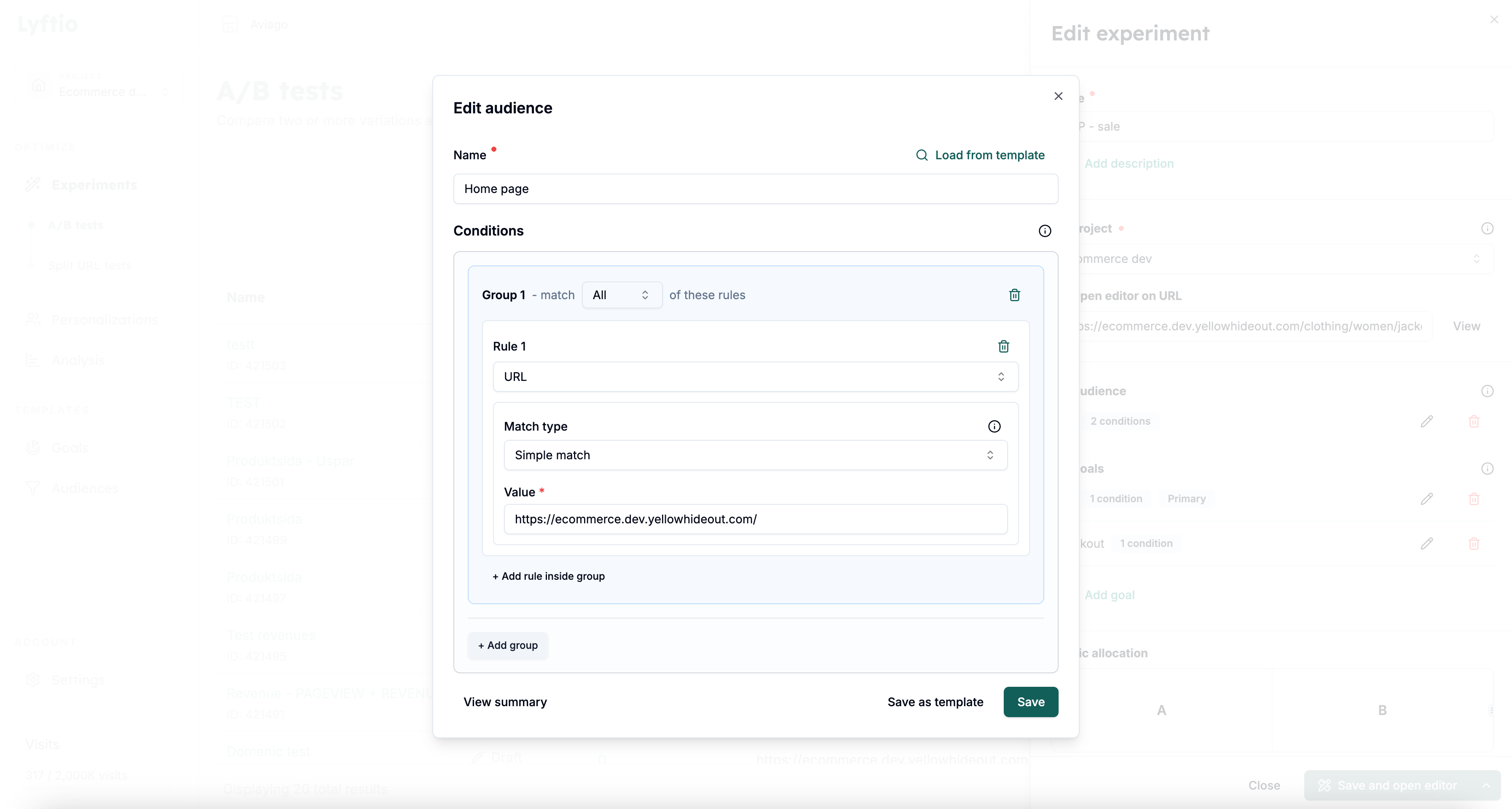 In the example above we target all visitors that visits the start page by adding an URL condition with a Simple match for the index page.
Check the URL condition page for more information about the different types of URL matching.
Targeting multiple pages with the same structure
If you want to run an experiment for multiple pages that have the same html structure but with different content
Example
Let's say you run an E-commerce and want to run an experiment on all your Product Detail Pages (PDPs). You want to test a layout or functionallity change that should be applied regardless of product the visitor is browsing. The easiest way of targeting all those pages is by finding a unique element that only exist on those type of pages and set that up in an HTML element condition.
Using a HTML element condition
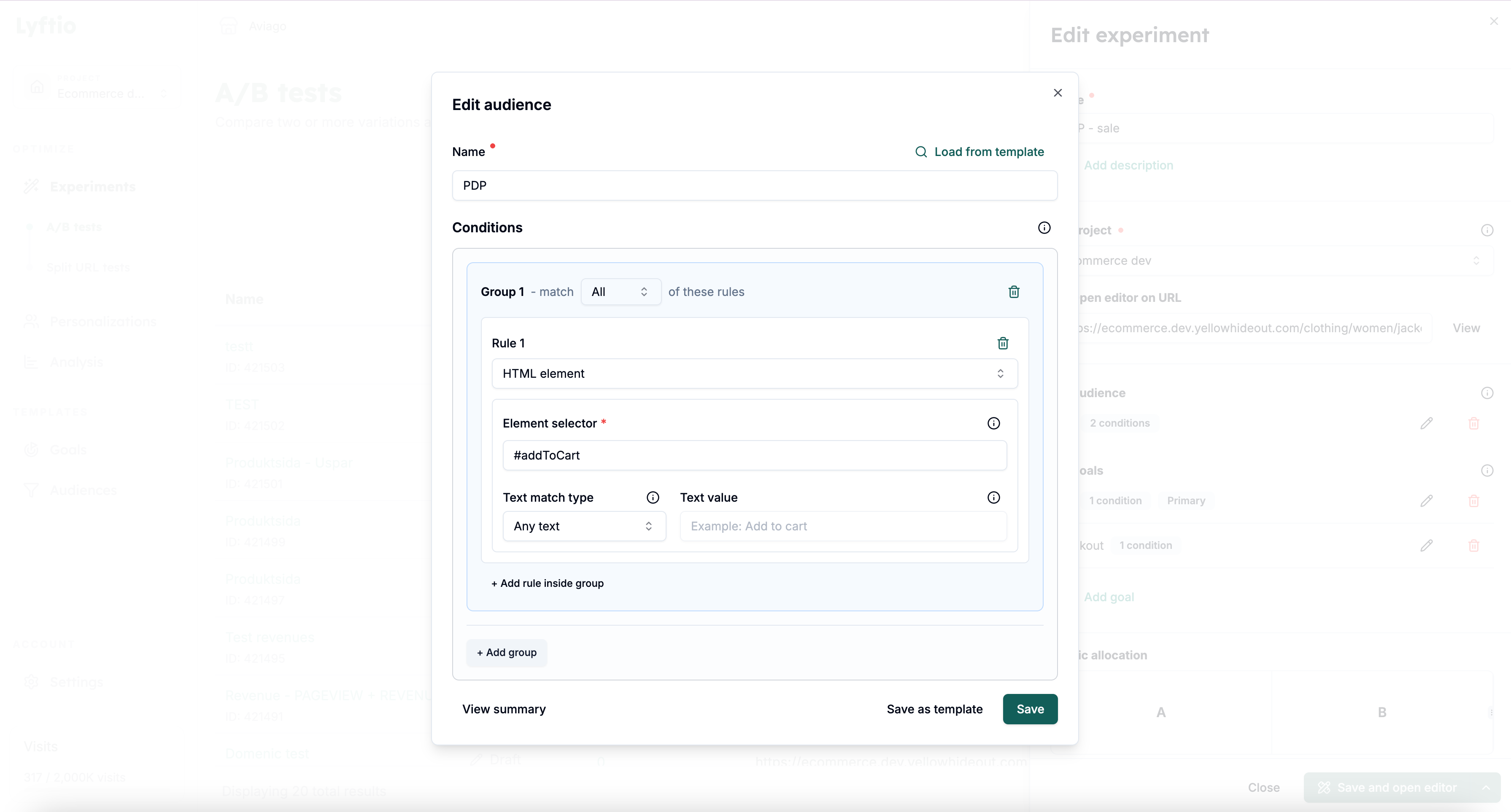 In the image above we target all pages that has a selector that is #addToCart (i.e an element with a ID of addToCart).
The Selector value is set as an ordinary CSS selector and supports all default combinators.