Cookie
The Lyftio script reads cookies when it loads and continuously watches for any changes. This allows you to set up targeting based on any JavaScript-set cookie by using a cookie condition.
Example
Say you want to target visitors that are logged in. If that value is set in a cookie you can easily target this by setting a cookie condition.
Example of simple name/value cookie
logged_in = "true"
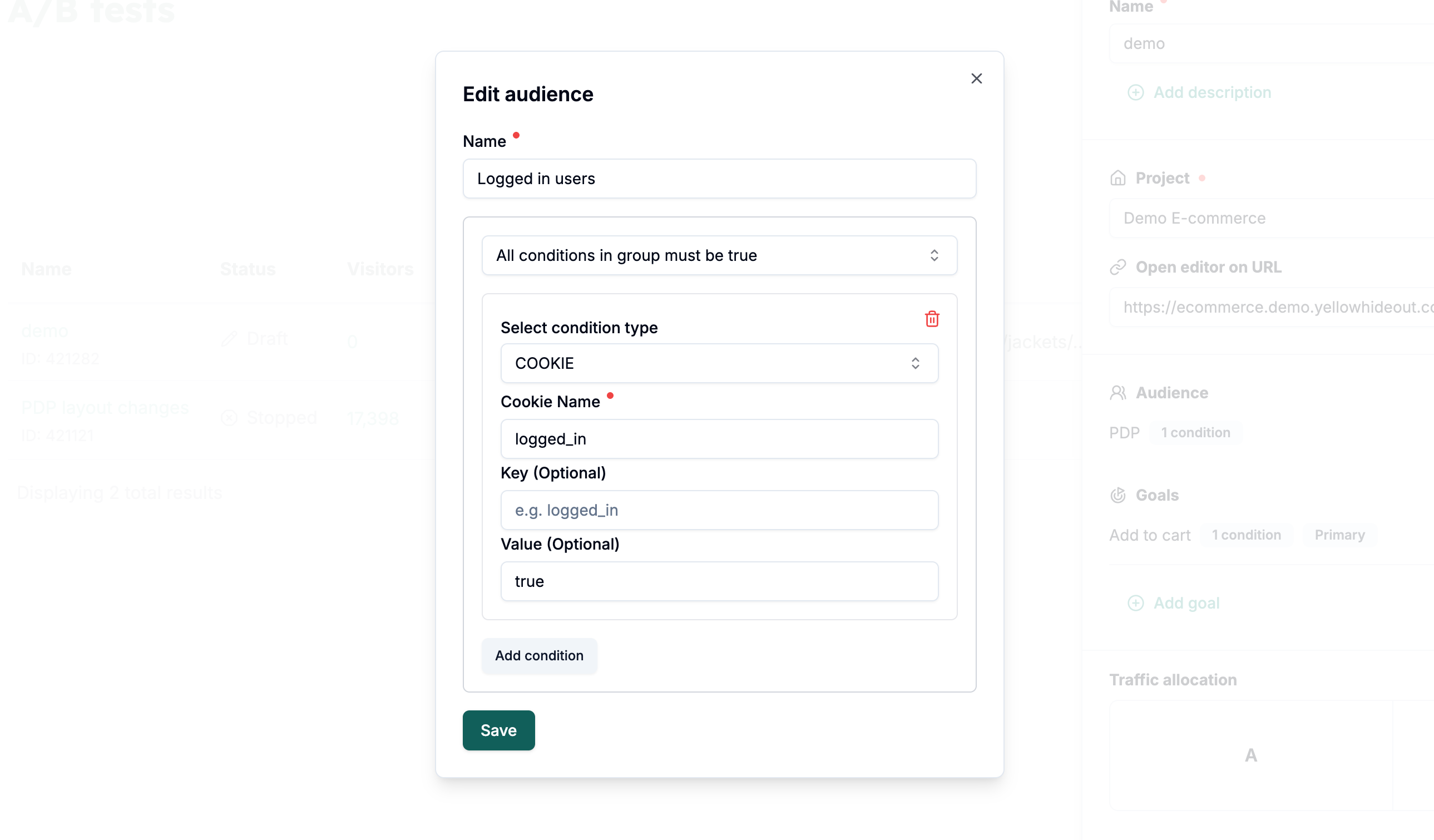
If the cookie is structured using only a name and value, you can simply enter the cookie name and the value you want to match. In this case, there’s no need to specify a key, just provide the name and value.
Example of an advanced cookie with an object as value
session = { "user": [ { "logged_in": "true" } ] }
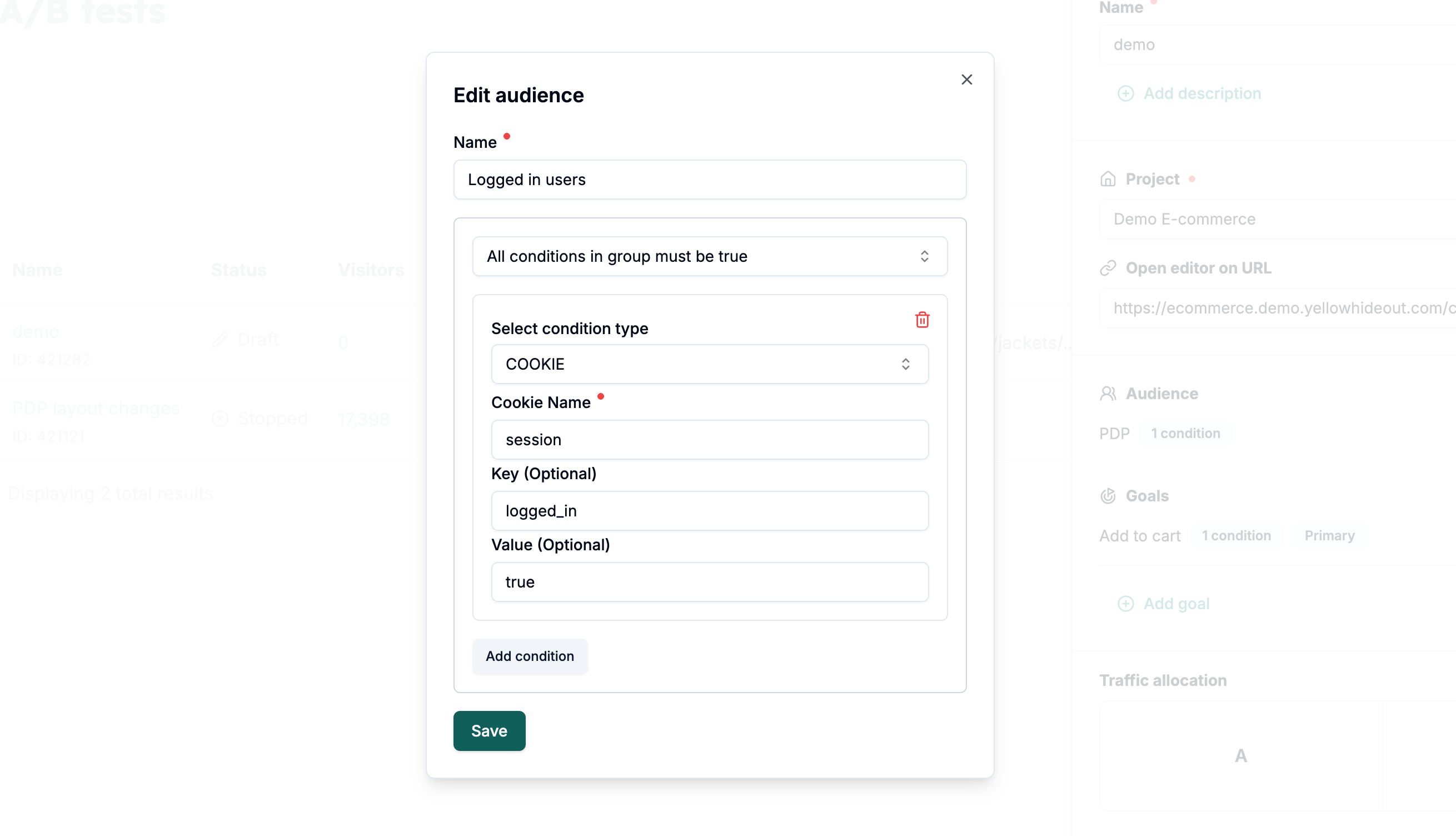
If the cookie uses a name and an object as its value, you’ll need to enter the cookie name along with the specific key and value you want to match inside that object (see image below).
Cookie monitoring is a new JavaScript feature. Since June 2025, this feature works across the latest devices and browser versions. This feature might not work in older devices or browsers. Read more
A cookie condition does not work on cookes set as httpOnly as this prevents access to cookie value through JavaScript.
Cookie condition might cause flickering if used as an Audience as the cookie might be added at any time (even after page load).
Always test your Audience in Preview before activating the experiment to make sure that your experiment only runs on pages that you intented.