Segment in GA4
info
You need to configure GTM before starting the test in order to create GA4 segments for your variations.
Setup segments in Google Analytics
Go to Explore and do the folloqing setup to see GA4 metrics segmented on your test variations.
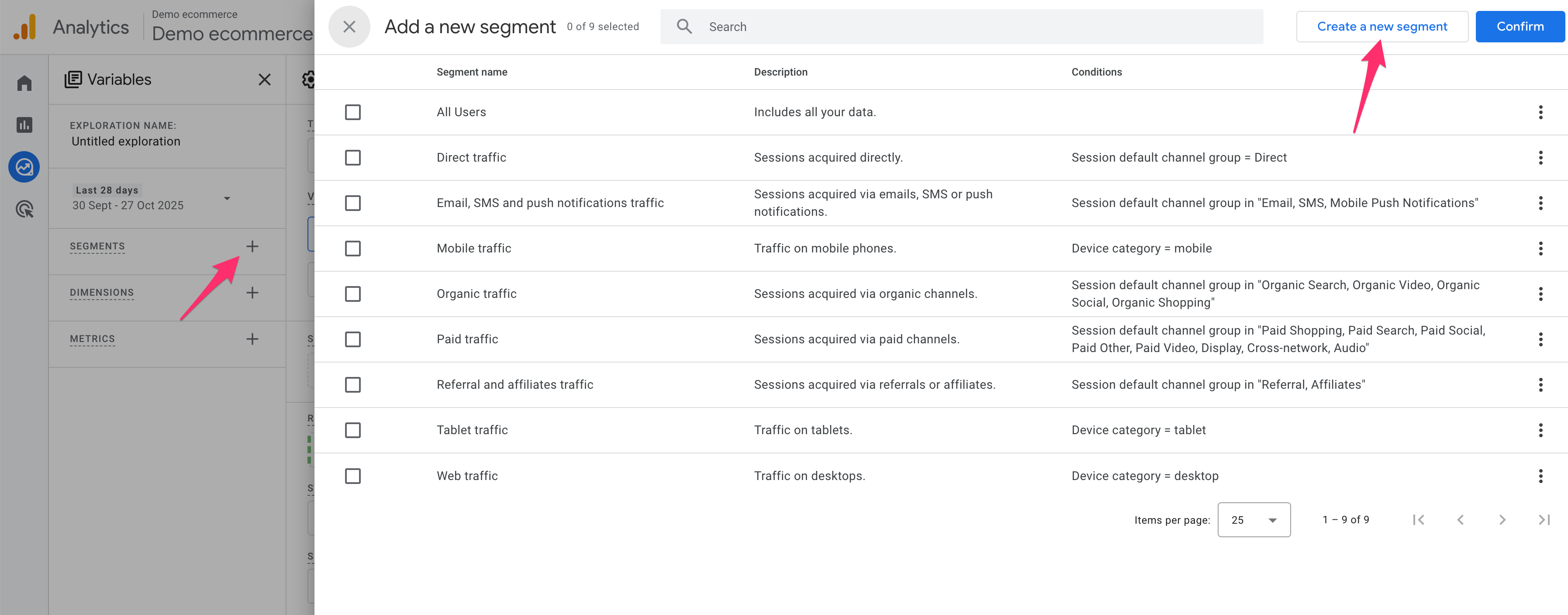
- Click on the plus icon in Segments and then Create a new segment.
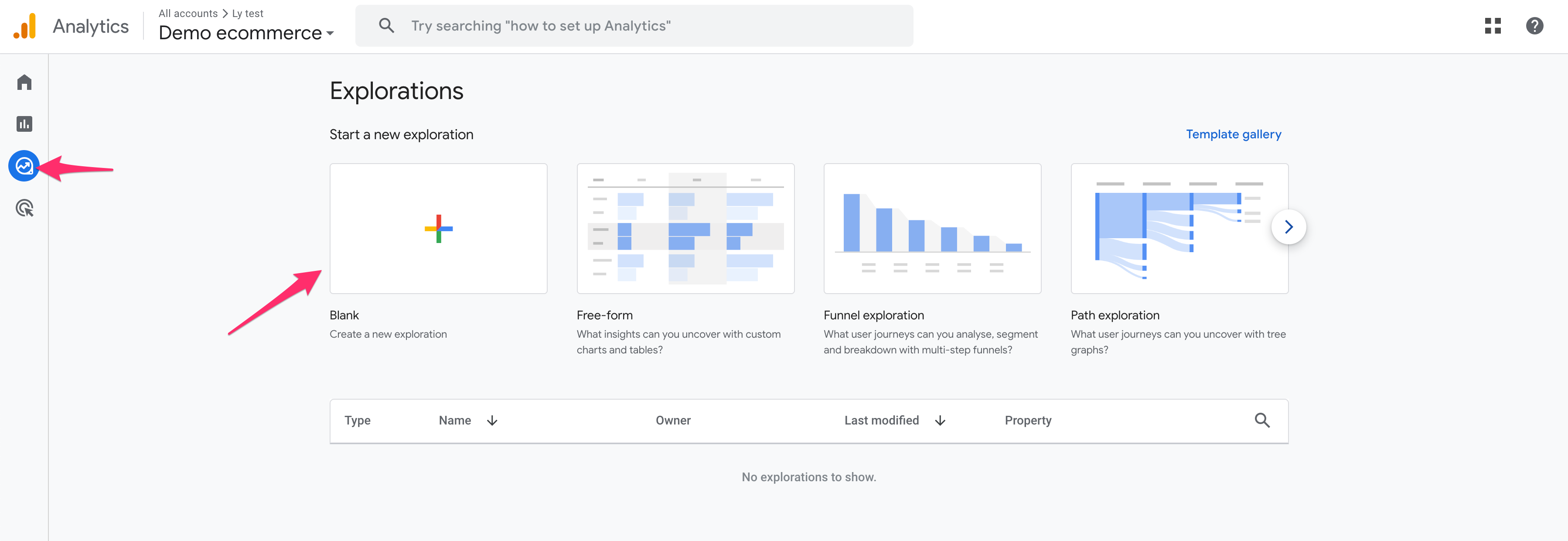
- Click on Blank.
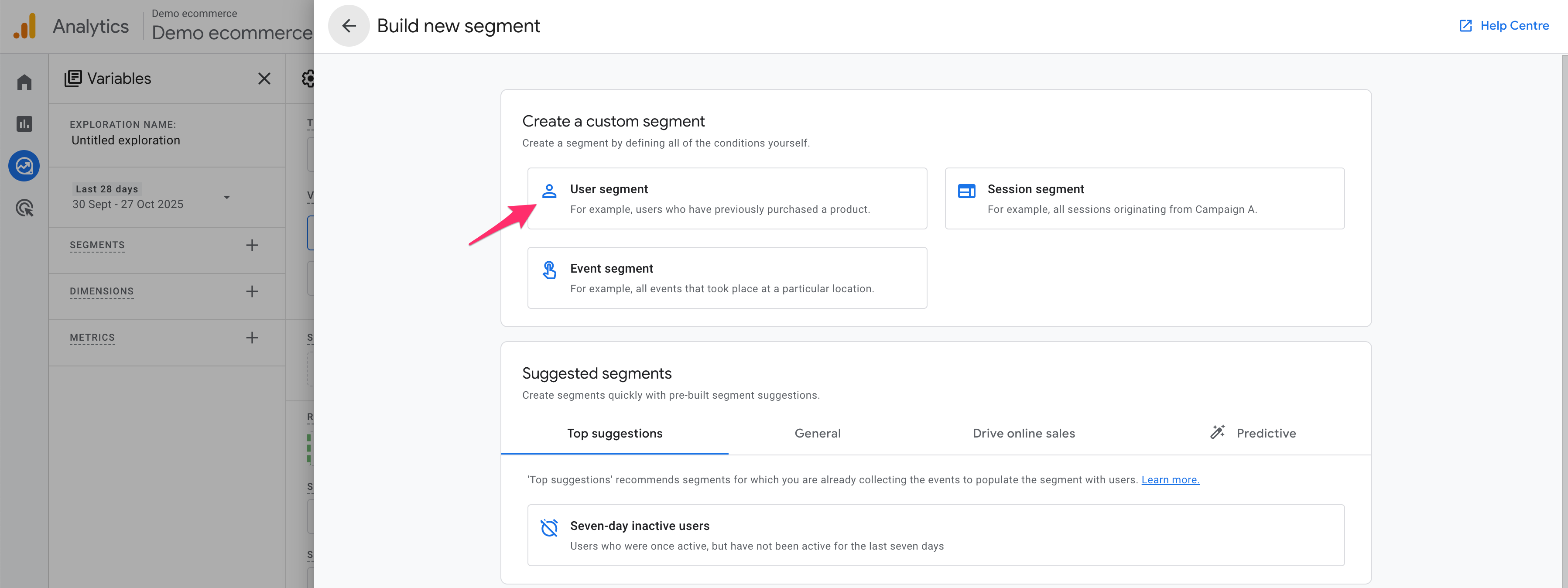
- Click on User segment.
-
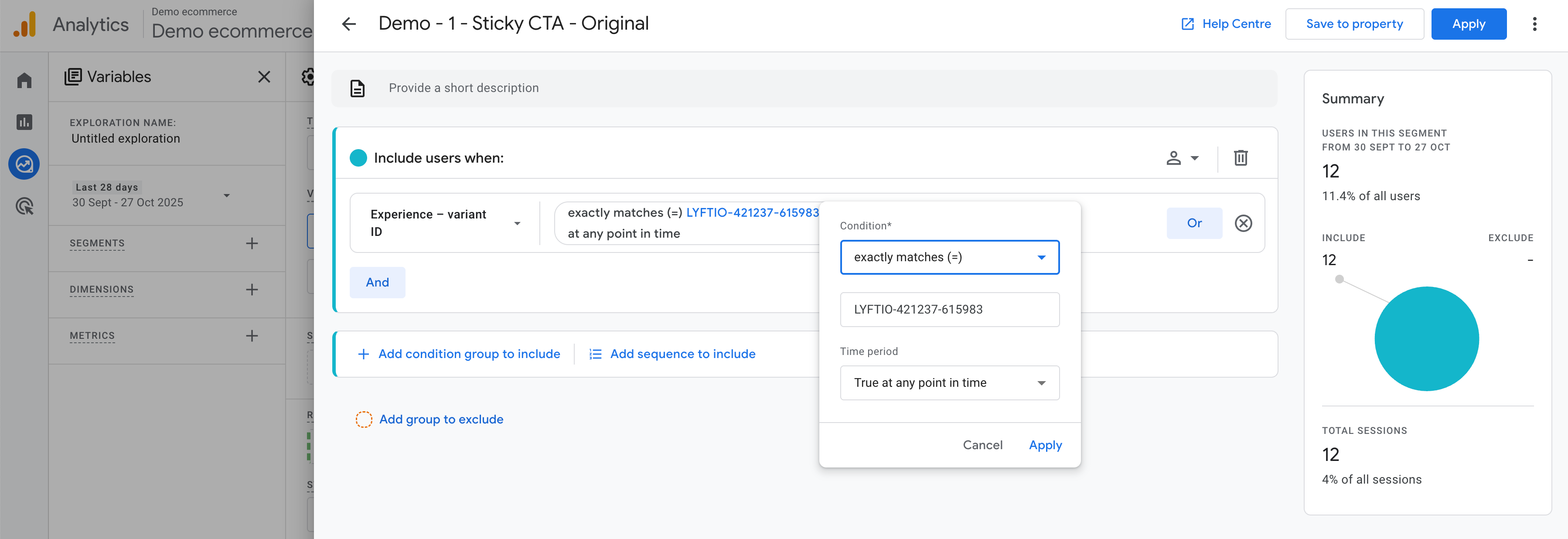
Click on the Add new condition dropdown and then choose general and Experience - variant ID and then click on Add filter and choose Exact match and then choose your variation (LYFTIO-xxxxxx-xxxxxx).
-
Name the segment and click Save.
-
Repeat this for all variations including the Original.
-
Set the metrics and dimensions you want to check and see the difference between variations.