Create a Project
The first step to getting a implementation script is creating your project. This will create a unique project ID that is used in the implementation script link to connect your website to Lyftio.
Navigate to projects
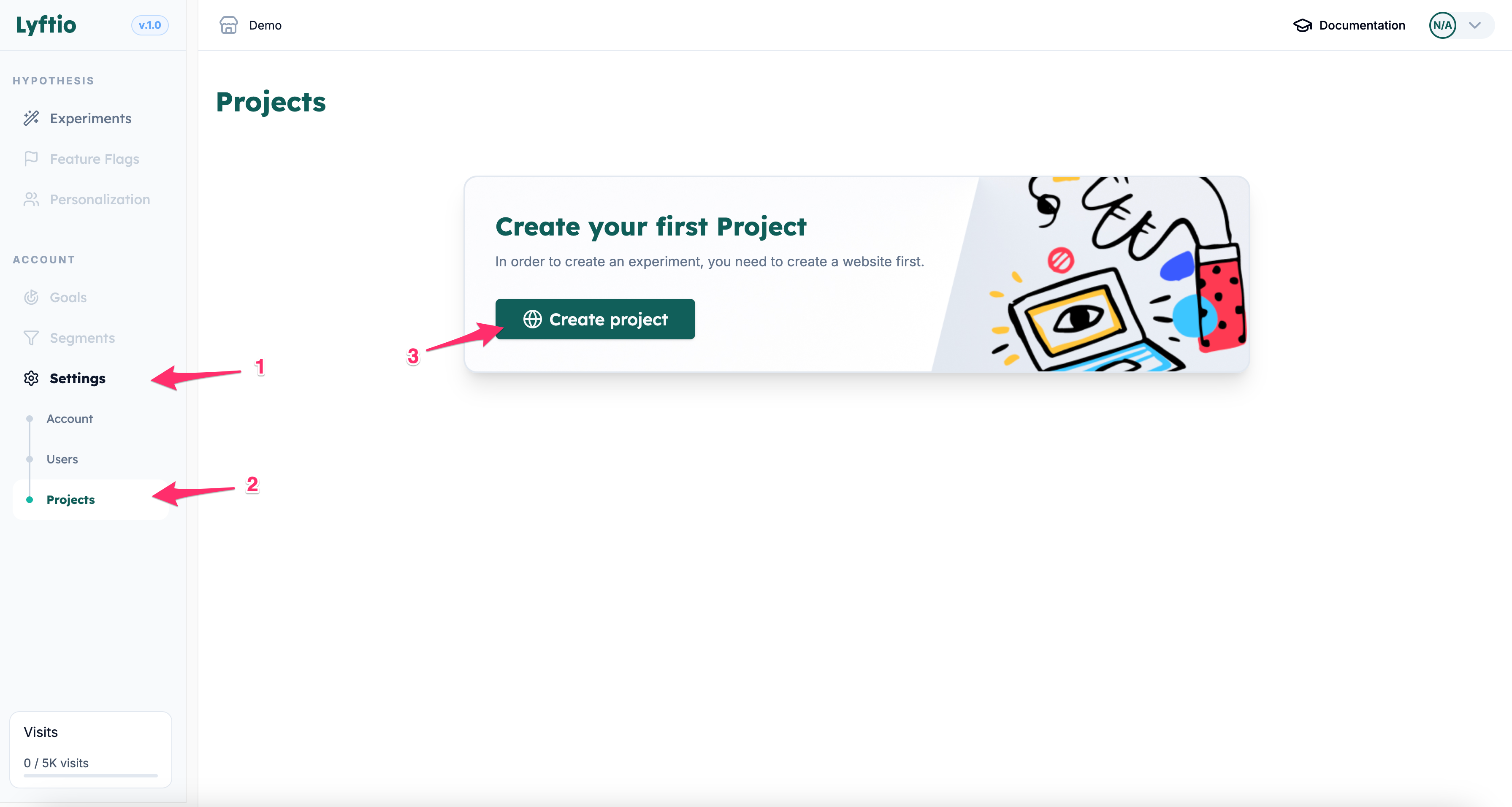
Click on Settings and then on projects. Then click Create project. If this is your first project it will appear in the middle. If you already have a project, the create button will appear in the top right corner.
Enter your project information
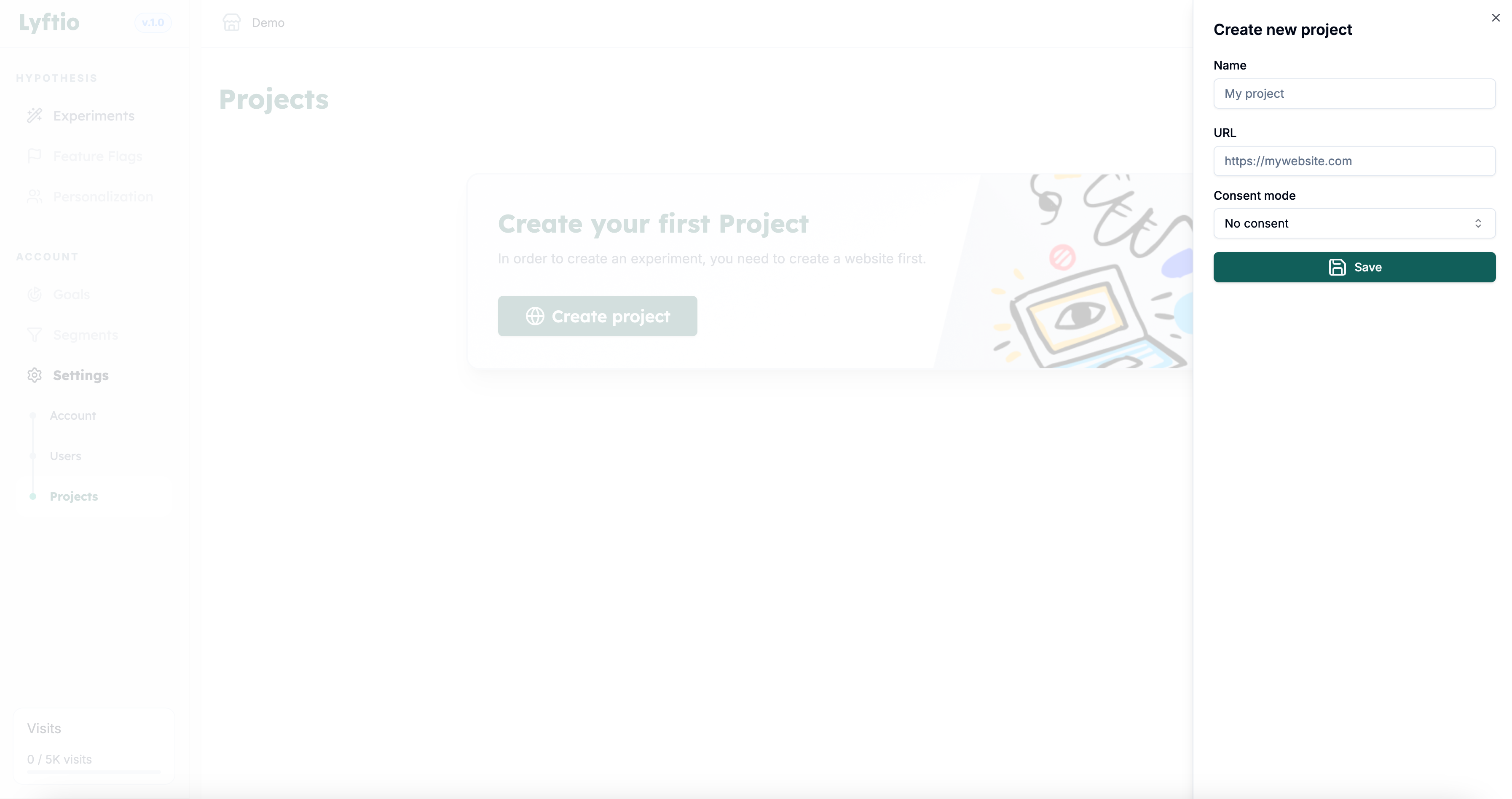
Enter the name of your project.
Enter the base URL.
Choose consent mode.
Click Save to create the project.